
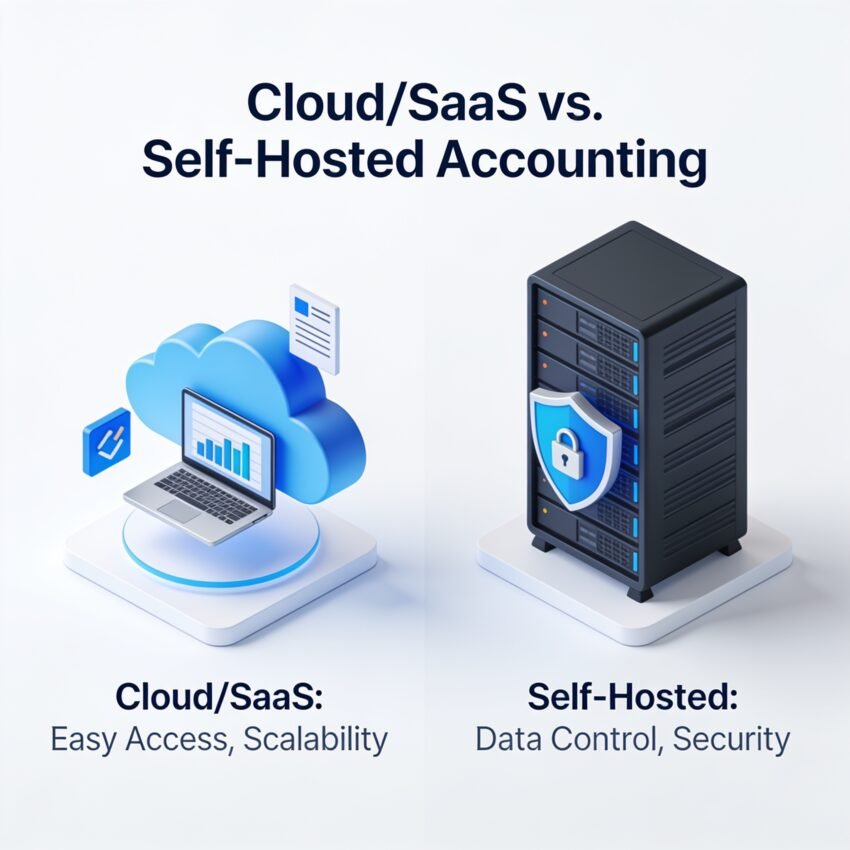
For small and medium-sized businesses, accounting software isn’t just a back-office tool—it’s a core system that touches cash flow, compliance, and decision-making. When evaluating platforms, owners often compare:
- SaaS (cloud-based) accounting solutions – hosted by the vendor, accessed over the internet, charged as a subscription.
- Self-hosted (on‑premise or private cloud) accounting software – installed on your own servers or controlled hosting, with your team (or IT partner) managing it.
Both models can work, but for many growing SMEs, self-hosted accounting offers stronger control, flexibility, and long‑term value, especially once the business matures beyond basic needs. This article explains why, while still presenting a balanced comparison so you can choose confidently.
1. SaaS vs self-hosted: what’s the real difference?
SaaS (cloud) accounting solutions:
- Hosted by the provider on their infrastructure.
- Accessed via a browser or mobile app, over the internet.
- You pay recurring subscription fees for licenses and modules.
- Vendor controls updates, features, and much of the data environment.
Self-hosted accounting software:
- Installed on your own server (on‑premise or in your preferred data center/private cloud).
- You define how it’s accessed—local network, VPN, secure web portal.
- You usually pay a one-time license (plus optional support/maintenance).
- You control upgrades, backup strategy, data location, and customizations.
In simple terms:
- SaaS prioritizes convenience and quick start.
- Self-hosted prioritizes ownership, control, customization, and long‑term cost efficiency.
2. Advantages and disadvantages of SaaS accounting (with a self-hosted lens)
Advantages of SaaS accounting
- Fast start, low initial cost
- No servers to buy, minimal setup.
- Many providers offer free accounting software trials or entry-level plans to get you started quickly.
- Automatic updates
- The provider maintains the platform, pushing new features and regulatory updates without your intervention.
- Built-in remote access
- Accessible from anywhere with an internet connection.
These benefits are appealing for micro‑businesses or very early‑stage startups that need something simple and immediate.
Disadvantages of SaaS (where self-hosted shines)
- Ongoing subscription costs and vendor dependence
- Over several years, subscriptions can become more expensive than a one‑time license—especially for multiple users.
- As you scale, adding modules and users often moves you from “cheap accounting software” to highly recurring costs.
- You are dependent on the vendor’s pricing decisions, roadmap, and long‑term stability.
- Limited control over data and environment
- Data is stored on the provider’s infrastructure, often in locations you don’t fully control.
- For regulated industries or businesses with strict internal policies, this can be a concern.
- If you decide to move away, exporting and migrating data can be complex.
- Customization constraints
- SaaS products are designed for the “average” customer.
- Deep customization of workflows, approval chains, or integrations is often limited or requires costly enterprise tiers.
- If your accounting or reporting needs are specialized, SaaS can feel like a compromise.
- Reliance on internet connectivity
- If your connection is unstable, access to critical financial data may be disrupted.
- For businesses in regions with patchy connectivity, this can impact day‑to‑day operations.
3. Advantages and disadvantages of self-hosted accounting (and why it’s often a better fit for SMEs)
Key advantages of self-hosted accounting solutions
- Full control and true data ownership
- Your financial data resides on your infrastructure or chosen hosting environment.
- You decide backup frequency, retention policies, encryption standards, and access control.
- This can simplify compliance with internal audit requirements and local regulations.
- Deep customization for your business
- Self-hosted systems can often be:
- Extended with plugins or custom modules
- Integrated with in‑house systems (ERP, CRM, industry-specific tools)
- Tailored to your specific approval workflows, chart of accounts, and reporting needs
- Instead of “bending” your processes to fit a generic SaaS tool, the software can be shaped around your operations.
- Self-hosted systems can often be:
- Predictable long-term cost structure
- While the upfront cost is higher, a one‑time license (plus moderate annual support) often beats years of subscription fees.
- For businesses with 10+ users or steady growth, this can be more cost‑effective over a 3–5 year period.
- You’re less exposed to sudden price hikes or forced upgrades.
- Stronger alignment with security and compliance policies
- You (and your IT team) can:
- Define network boundaries
- Use your own encryption and key management
- Integrate with your identity and access management systems
- This is particularly important where auditors, regulators, or corporate governance demand higher levels of control.
- You (and your IT team) can:
- Offline and local performance
- Systems can be accessed over your local network, independent of internet performance.
- Critical operations (invoicing, posting entries, running reports) can continue even if your ISP is down.
Disadvantages of self-hosted accounting (and how to manage them)
- Higher initial investment
- Software licenses, servers (or private cloud), and implementation time are required.
- However, this is a planned capital or project expense, not an open‑ended subscription.
- Need for IT support and maintenance
- You (or an IT partner) must handle updates, backups, and hardware or hosting management.
- For many SMEs, this is best addressed by partnering with a provider (like us) that offers managed self-hosted deployments.
- Remote access setup
- Remote or multi-branch access requires VPNs or secure web gateways.
- Once set up properly, the experience can be as seamless as SaaS—just under your own control.
4. Cost considerations: looking beyond “cheap” to long-term value
SaaS cost dynamics
- Short term:
- Attractive for startups and micro-businesses: low entry costs, often marketed as cheap accounting software.
- Free accounting software tiers or trials can help you get off the ground.
- Medium to long term:
- Monthly/annual fees accumulate as:
- More users join
- You add inventory, multi‑currency, project accounting, or advanced reporting
- Optional add‑ons (payroll, advanced analytics, integrations) increase the total spend.
- You may end up paying a premium for convenience, without owning the asset.
- Monthly/annual fees accumulate as:
Self-hosted cost dynamics
- Upfront:
- Software license and implementation effort.
- Hardware or private cloud hosting (which can be modest for small teams).
- Potential customization and data migration.
- Ongoing:
- Support and maintenance contracts (often lower than equivalent SaaS subscriptions for the same feature set).
- Periodic hardware refresh or cloud resource tuning.
- Internal or outsourced IT support.
When you calculate Total Cost of Ownership (TCO) over 3–5 years:
- For growing SMEs with multiple users and increasingly sophisticated needs, self-hosted often shifts from “more expensive” to “more economical”.
- You avoid the long-term cumulative cost of per-user subscription fees, especially as your team scales.
Where free and cheap accounting software still fit
- Free accounting software is suitable when:
- You are at a very early stage.
- Your accounting is limited to simple invoicing, expense tracking, and basic reporting.
- You are experimenting with workflows before committing.
- Cheap accounting software plans are useful for:
- Very small teams with simple needs.
- Short-term projects or side businesses.
However, once your business moves into a growth phase—hiring more staff, adding branches, increasing transaction volume, and facing more complex compliance requirements—a robust, self-hosted system often provides better value and stability than remaining on entry-level SaaS tiers.
5. Security, scalability, and maintenance: why control matters
Security
SaaS security:
- Reputable vendors implement strong security, but:
- You rely on their policies, architecture, and incident response.
- You have limited visibility into internal controls and data handling practices.
- Data residency (where your data is stored) might not align with your preferences or regulations.
Self-hosted security (done right):
- You control:
- Where data is stored (on‑premise, specific data center, private cloud).
- How it is encrypted, backed up, and replicated.
- How network access is secured (VPNs, firewalls, segmentation).
- With proper setup—often supported by a specialized provider—self-hosted can equal or exceed SaaS security, while giving you clearer audit trails and compliance alignment.
Scalability
SaaS scalability:
- Adding users or features is simple but usually comes at a price.
- Over time, scaling through SaaS often means scaling subscription costs.
Self-hosted scalability:
- You can scale hardware or hosting resources as your business grows.
- You control performance tuning and can optimize for your specific workloads.
- For sustained growth, this can be more cost‑efficient, particularly for transaction-heavy businesses.
Maintenance
SaaS:
- Vendor manages infrastructure and updates.
- Your trade‑off: less control and greater dependence on their release cycle and priorities.
Self-hosted:
- You or your partner manage:
- Software updates
- Backups and recovery drills
- Infrastructure health
- With the right partner, much of this can be standardized and automated, combining the control of self-hosted with the convenience you expect from SaaS.
6. Best use cases: when self-hosted truly shines
Ideal scenarios for self-hosted accounting
Self-hosted solutions are often the best choice when:
- You’re a serious SME, not a micro-business.
- Multiple users, distinct roles, and more complex processes (approvals, departmental budgets, multi‑location operations).
- You expect to grow significantly.
- You don’t want to be locked into rising subscription costs or constrained by generic workflows.
- You have compliance, audit, or data residency requirements.
- Regulated industries, strict internal controls, or regional data regulations.
- You want accounting software tailored to your operations.
- Custom reports, integration with in‑house systems, or specialized industry workflows.
- You prefer an asset, not just an ongoing service.
- Ownership of the license and control over upgrade timing.
When SaaS still makes sense
SaaS remains a reasonable choice when:
- You are a very small business or solo professional.
- Your needs are basic and unlikely to become complex.
- You have no internal or external IT support and want to avoid any infrastructure considerations entirely.
- You are testing a business idea and want to start with free accounting software or minimal cheap accounting software plans.
Even in these cases, many businesses eventually migrate from SaaS to a more robust, self-hosted solution as they formalize processes and grow.
7. How our company supports self-hosted (and hybrid) accounting
Our company specializes in helping small and medium-sized businesses implement accounting systems that give them control, flexibility, and long‑term value—with a strong focus on self-hosted deployments.
We provide:
- Self-hosted accounting solutions
- Installed on your own infrastructure or in a private cloud environment.
- Configured for your specific chart of accounts, approval flows, tax structure, and reporting needs.
- Integrated with your existing systems (ERP, CRM, point‑of‑sale, banking interfaces, industry tools).
- Managed services for self-hosted environments
- Regular updates, backups, and security hardening.
- Performance monitoring and optimization.
- Support for your users and finance team.
- Cloud and hybrid options
- For businesses that still want cloud-style access, we can host your self-hosted solution in a managed private cloud, giving you:
- Remote access and convenience similar to SaaS
- The control, customization, and data ownership of a self-hosted system
- For businesses that still want cloud-style access, we can host your self-hosted solution in a managed private cloud, giving you:
We also recognize that some clients may wish to start with free accounting software or cheap accounting software during early stages. We help you plan a clear path from those starter tools to a robust, self-hosted platform when your business is ready, minimizing disruption and data migration risk.
Our goal is to ensure your accounting platform:
- Fits your business—not the other way around.
- Supports growth without runaway subscription costs.
- Meets your security and compliance expectations.
8. Conclusion: practical recommendations (with a bias toward control)
When deciding between SaaS and self-hosted accounting software, ask yourself:
- How important is control over data and customization?
- If you care deeply about where your financial data lives, how it’s secured, and how your workflows function, self-hosted is usually superior.
- What does your 3–5 year cost picture look like?
- For a growing SME with multiple users, self-hosted often beats perpetual subscriptions on total cost—especially once you move beyond basic cheap accounting software tiers.
- How complex are your processes—today and tomorrow?
- If you foresee complex approvals, custom reports, or deeper integrations, it’s more efficient to invest in a self-hosted solution that can be tailored as you grow.
- What are your compliance and governance requirements?
- If auditors, regulators, or internal policies are a factor, owning and controlling your environment simplifies compliance.
- Where are you in your business lifecycle?
- Early stage? A free accounting software or simple SaaS tool might be fine to begin with.
- Established and growing? It’s time to seriously consider a self-hosted solution that will support you for years, not just months.
If you share a bit about your current setup—team size, transaction volume, industry, and any compliance needs—we can recommend a concrete self-hosted or hybrid accounting approach for your business and outline a clear, low‑risk migration plan from any existing tools you’re using.